Can you use your website without a mouse? Try it: use only Tab to navigate and Enter to click. If that doesn't work, your website has an accessibility problem.
The American organization WebAIM scans the homepages of the million biggest websites every year. In 2025 it found WCAG failures that a scanner can detect automatically on 94.8 percent of them. In this article I explain what WCAG is, why it matters and what your website must do.
What is WCAG, exactly?
WCAG stands for Web Content Accessibility Guidelines. They are international guidelines that describe how to make websites accessible to everyone, including people with a disability.
The guidelines are written by the W3C (World Wide Web Consortium), the same organization that standardizes HTML and CSS. That makes WCAG the official standard for accessibility on the web.
Accessibility is about more than blindness. Think also of someone who can't use a mouse because of a motor impairment, people with low vision, people who are deaf or hard of hearing, and people with dyslexia, ADHD or another cognitive disability.
Three reasons to take accessibility seriously
It's decent, it pays off and the law requires it.
1. It's simply the decent thing to do
According to the World Health Organization (WHO), about one in six people worldwide has a significant disability, and in the Netherlands too it's a large group. If your website isn't accessible, you shut those people out. That's like a store you can't enter in a wheelchair.
2. It pays off too
What makes a site accessible often makes it nicer for all visitors: clear headings, readable text and buttons that are easy to hit. Part of that work counts for Google too, because technical SEO and accessibility overlap to a large extent. Clean HTML helps a screen reader and a search engine alike to understand your page.
3. It's mandatory
The European Accessibility Act (EAA) has applied since June 28, 2025. Businesses that offer digital services to consumers must make those services accessible. If you don't comply, the regulator can take enforcement action. Only micro-enterprises providing services are exempt: fewer than 10 employees and at most €2 million in annual revenue or balance sheet total.
Update March 2026
Research by the ACM (the Dutch Authority for Consumers and Markets) and independent parties shows that most large Dutch online stores don't meet the accessibility requirements. At a good share of them, the problems are in the ordering process. Read more in my analysis of the research results.
WCAG levels: A, AA and AAA
WCAG has three conformance levels, and each level builds on the previous one.
Level A
This is the basis. If your site doesn't reach this level, some visitors can't use it at all.
Level AA ✓
The level the law refers to, and so the level to aim for.
Level AAA
The highest level. For a whole site it's rarely achievable, for individual parts it sometimes is.
My advice: aim for WCAG 2.1 level AA as a minimum. That is the level the EAA refers to through the European standard EN 301 549. WCAG 2.2 AA is the newest version and the sensible choice for a new site, even though the law doesn't require it yet.
WCAG 2.0, 2.1 or 2.2: what are the differences?
WCAG is updated regularly. Each new version adds criteria and leaves the old ones largely in place, so a website that meets WCAG 2.2 also meets 2.1 and 2.0.
| Version | Year | Focus |
|---|---|---|
| WCAG 2.0 | 2008 | Basic guidelines for desktop websites |
| WCAG 2.1 | 2018 | + Mobile, touchscreens, low vision |
| WCAG 2.2 | 2023 | + Cognitive disabilities, keyboard, authentication |
WCAG 2.2 adds 9 new success criteria, 6 of which count toward level AA. The most important ones are about keyboard navigation, the size of buttons on touchscreens and logging in without a puzzle or memory test.
The four POUR principles
All WCAG criteria fall under four principles. Their initials spell POUR, and with those four in mind you understand why each individual criterion exists.
Perceivable
Information must be perceivable. Think of alt text on images, captions on video and enough color contrast.
Operable
The interface must be usable with a keyboard, on a touchscreen and without time pressure. Flashing visuals that can trigger an epileptic seizure don't belong.
Understandable
Text and controls must be understandable: clear language, buttons that do what you expect and help when you fill in a form wrong.
Robust
Your content must work with assistive tools like screen readers, braille displays and voice control, including versions that are yet to come.
The most important WCAG 2.2 AA criteria, with examples
For level AA in WCAG 2.2, your site has to meet more than fifty success criteria. Below you can read the most important ones, each with an example.
Keyboard navigation (2.1.1)
Everything must work with only a keyboard. For me this is the most important criterion, because many people can't use a mouse: someone with trembling hands or RSI, someone who is blind, or someone with a broken wrist.
Test it yourself: navigate through your website with Tab (forward), Shift+Tab (back), Enter (activate) and Escape (close).
Visible focus (2.4.7 and 2.4.11)
When you navigate with Tab, you must always be able to see where you are. That visible frame is called the focus indicator. WCAG 2.2 adds that the focus must not disappear behind other elements, like a sticky header. That the focus outline must have enough contrast with the background was already in WCAG 2.1.
Target size (2.5.8)
Buttons and links must be at least 24 by 24 pixels, or have enough space around them. That helps people with a motor impairment, and anyone using your site on a phone. A tiny cross to close a pop-up is a violation you see often.
Color contrast (1.4.3)
Text must have enough contrast with the background. For normal text the ratio is at least 4.5:1, for large text 3:1. Light gray text on a white background almost never gets there.
Accessible authentication (3.3.8)
New in WCAG 2.2: logging in must not require a puzzle or memory test, like a CAPTCHA with a puzzle or a password you have to know by heart. There has to be an alternative, for example logging in with your fingerprint, with a login link by email or with a password manager that fills in the password for you.
Consistent help (3.2.6)
If your website offers contact information or help options, they must be in the same place on every page. That way someone with a cognitive disability finds that help again without searching.
How to test your website for accessibility
You can test the basics without prior knowledge. With these three tests you can start today:
Keyboard test: Go through your whole website with only Tab, Enter and Escape. Can you get everywhere, and can you always see where you are?
Zoom to 200%: Set your browser to 200 percent. Everything must stay readable and usable, with no text overlapping.
Lighthouse audit: Open Chrome DevTools (F12), go to the Lighthouse tab and start an Accessibility audit. You get a score and a list of improvements.
For a full audit you use tools like axe DevTools or WAVE, or you have an expert take a look. The three tests above do find the biggest blockers, though, like a menu that doesn't open with the keyboard or text that disappears when you zoom in.
Free tool
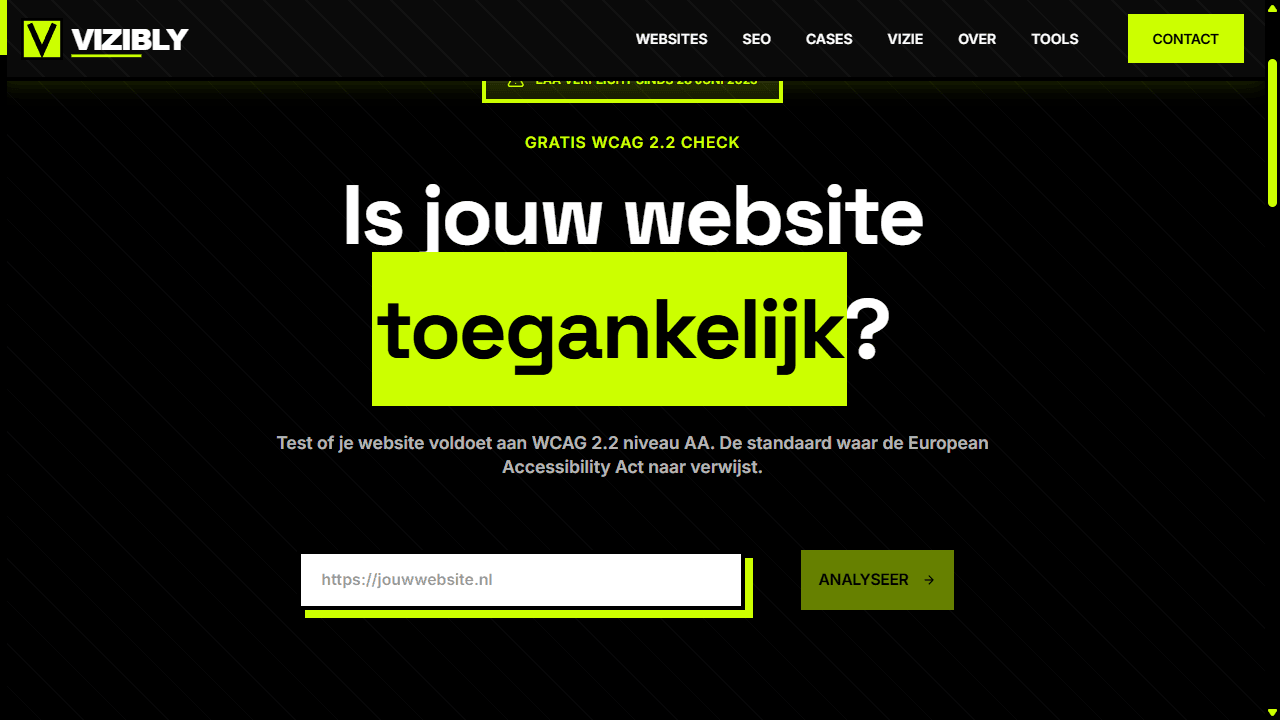
Test your website for accessibility
I built a free accessibility checker that tests your website against the most important criteria of WCAG 2.1 AA. You enter your URL and see right away how your site scores on:
- Color contrast (at least 4.5:1)
- Alt text on images
- Labels on buttons and links
- Heading order (H1 to H6)
- Focus indicators
How I build accessibility into every site
On every website I build, WCAG 2.2 AA is the starting point, at no extra charge. This is part of it:
- Full keyboard navigation with visible focus
- Skip links that jump you straight to the content
- Clean HTML with a logical heading structure
- Enough color contrast (at least 4.5:1)
- Alt text for all images
- ARIA labels where needed
- A design that works on every screen, from phone to desktop
To make that happen I work with modern technology like Next.js instead of a page builder. That way I decide myself which HTML ends up on the page, and you need that control for a truly accessible site. In sectors like healthcare, it matters even more.
WCAG in short
WCAG is a manual for making your website usable for everyone. With WCAG 2.1 AA you meet the current law, and with 2.2 AA you're on the newest version right away.
Start with one thing: test your website with your keyboard. If you get stuck somewhere without a mouse, that is the place to fix first.
Want an accessible website built?
I build websites that meet WCAG 2.2 AA. The accessibility is in the code itself, with no overlay plugin laid over it afterward.
SEE WEBSITE OPTIONS