Your WordPress site takes 4 seconds to load. You've already removed plugins, compressed images and turned on caching, and that helps a little. Or you want to build something that simply isn't possible with WordPress. If you recognize that, the problem is probably WordPress itself.
The problem with WordPress
WordPress is a perfectly good system, and according to W3Techs more than 40 percent of all websites run on it. But it's more than twenty years old, and you can tell.
A fast WordPress site calls for a bare theme and few features. If you want a good-looking, unique site, you stack plugins, a page builder and extra CSS, and that makes your site slow. You optimize and it gets a bit better, but you keep tinkering with a system that was never designed for this.
So with WordPress you have to choose between speed and design. With a site in Next.js, you don't have to make that choice.
What Next.js is and how I build with it
Next.js is a modern framework for building websites. I write the site in code myself, without a theme or plugins, and that keeps it light and fast.
For the styling I use Tailwind CSS, with components I design myself for each project. That way I can build any design and any animation you want, without the site slowing down.
It's not a niche technology either. Next.js is made by Vercel, and big international brands build their sites with it.
Why migrate?
Speed. There's no page builder or stack of plugins in between slowing the site down. The speed is in there from the first line of code, so you don't have to spend months tweaking it afterward.
Design. An animation that doesn't work in Elementor is a few lines of code in Next.js. I work directly in the source code, so what I can design, I can build.
Maintenance. A WordPress site with a lot of plugins needs updates every month, and after a WordPress update something sometimes suddenly stops working. A Next.js site runs without plugins and a theme, so that kind of maintenance goes away.
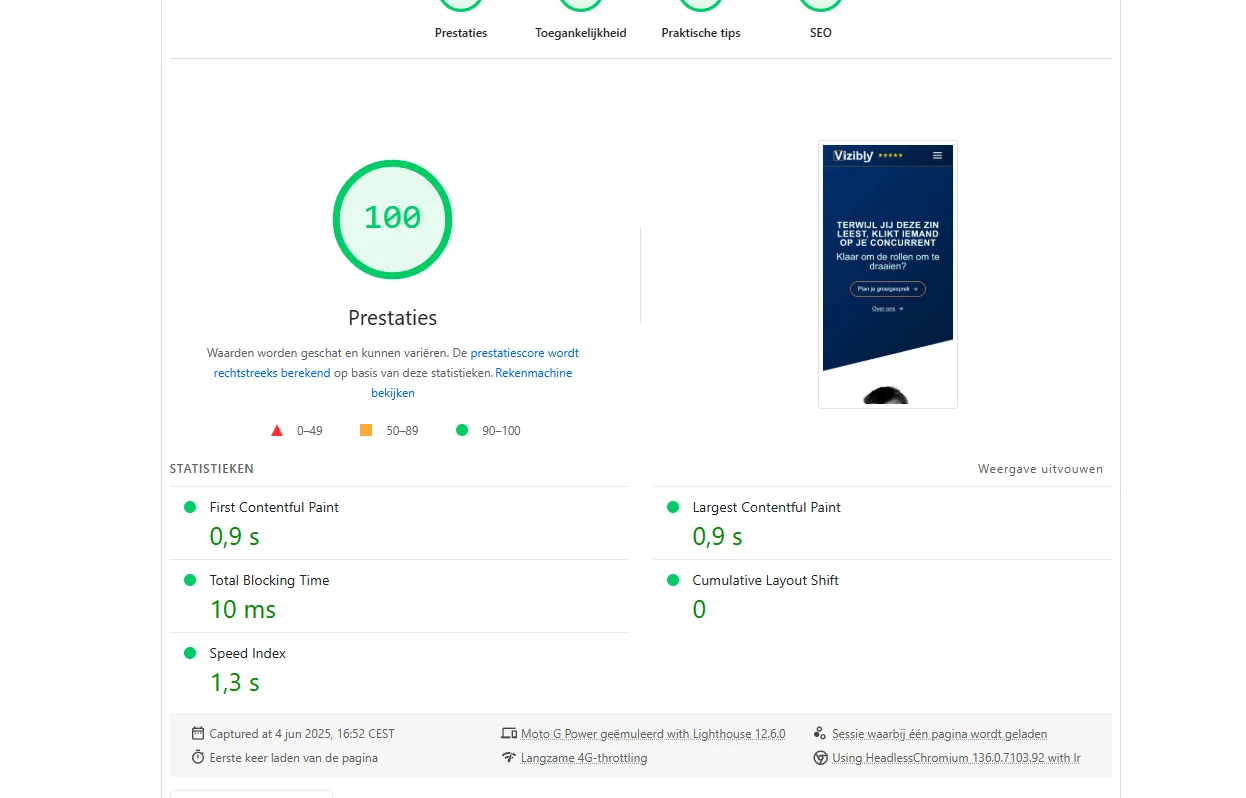
SEO. Speed counts in Google, among other things through the Core Web Vitals: the measurements Google uses to see how fast and stable a page loads. With Next.js it's easier to get good scores there.
How does a migration like this work?
I rebuild your site in Next.js. I don't convert the WordPress code: I start with a clean base and carry your content over.
Step 1: Moving the content. If you want to keep your current copy and images, I pull them out of WordPress, along with the structure of your pages.
Step 2: Design and development. Then I build your new site in Next.js. This is also the moment to refresh your design.
Step 3: Keeping your SEO. I carefully carry over your URL structure. If an address changes, I send the old address on to the new one with a 301 redirect, so existing backlinks and your positions in Google are kept as well as possible. The site goes on Vercel, and because that server responds quickly, Google can crawl your pages smoothly.
Step 4: Launch. Your new site goes live and I check that all the old addresses redirect correctly.
Things to watch for in a migration
A migration to Next.js isn't the right choice for everyone. A few points to keep in mind:
- Editing content yourself: WordPress has a built-in editor. With Next.js I connect an admin environment (a CMS, like Keystatic or Payload), so you can still edit copy and images yourself.
- Complex functionality: There are thousands of plugins for WordPress. In Next.js I build the feature you need myself. That sometimes takes more time, and you get a faster and more secure solution in return.
- Ongoing changes: With WordPress you can install a plugin yourself. With Next.js you need a developer for technical changes. You simply edit copy and images yourself in the CMS.
If you have an online store with 10,000 products or publish a lot of complex content every day, WordPress can work perfectly well with the right optimization. For most business websites, Next.js gives a better experience. You can read more about the choices involved in the article on making a website in 2026.
Next.js for the same budget as WordPress
With the tools and way of working I developed myself, you get a Next.js site for the same investment as a WordPress site. Your site gets faster and is easier for Google to read.
Approach and price of a new site
On the websites page you can read how I approach a new site and what it costs.
HOW I BUILD HIGH-END WEBSITES