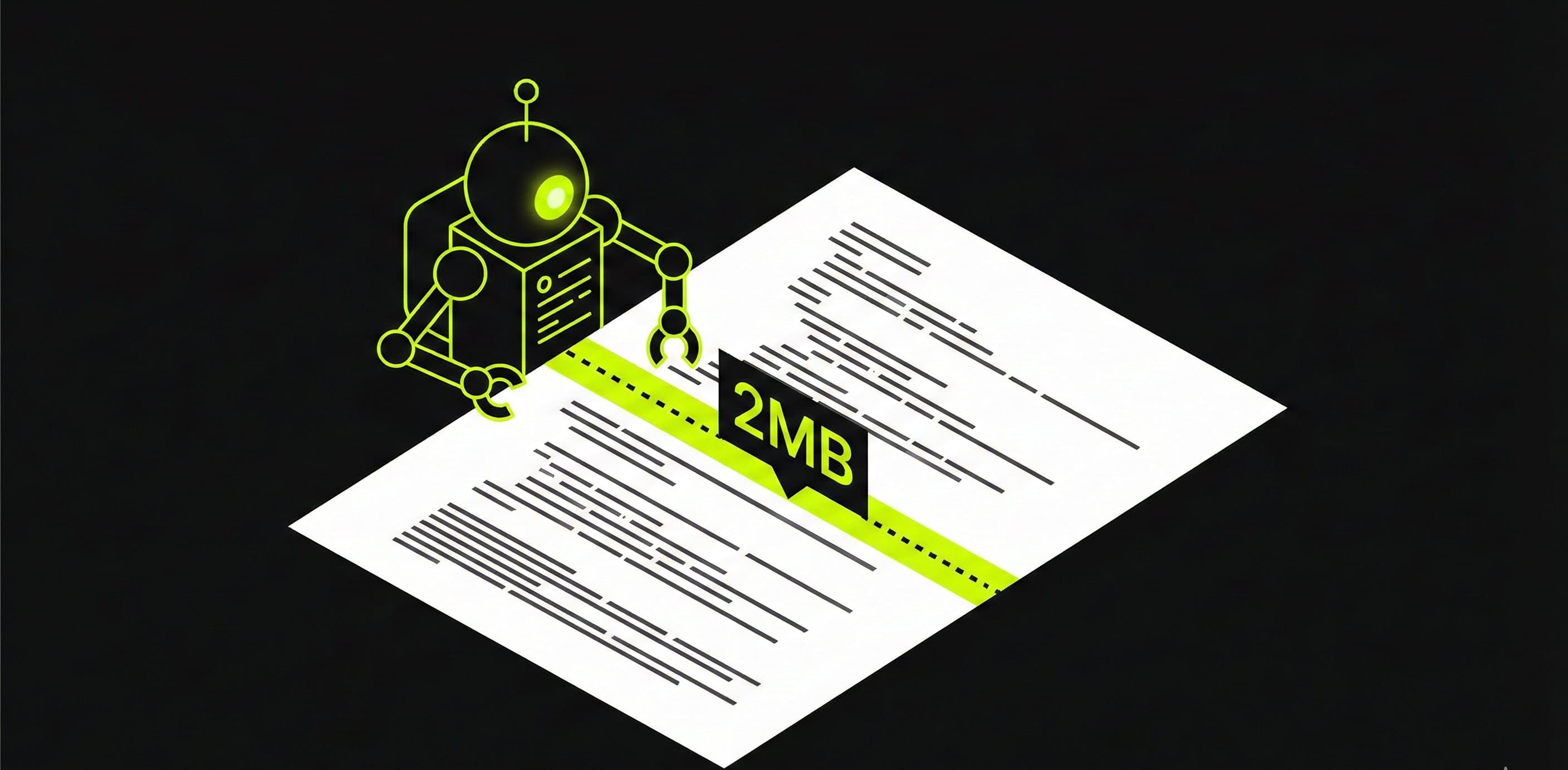
In early February 2026, Google updated the Googlebot documentation. The most striking change: Googlebot crawls a maximum of 2MB of HTML per page. That sounds like a steep cut from the 15MB documented before. Still, nothing changes for almost every website, because Google mostly wrote down what Googlebot was already doing.
What exactly changed?
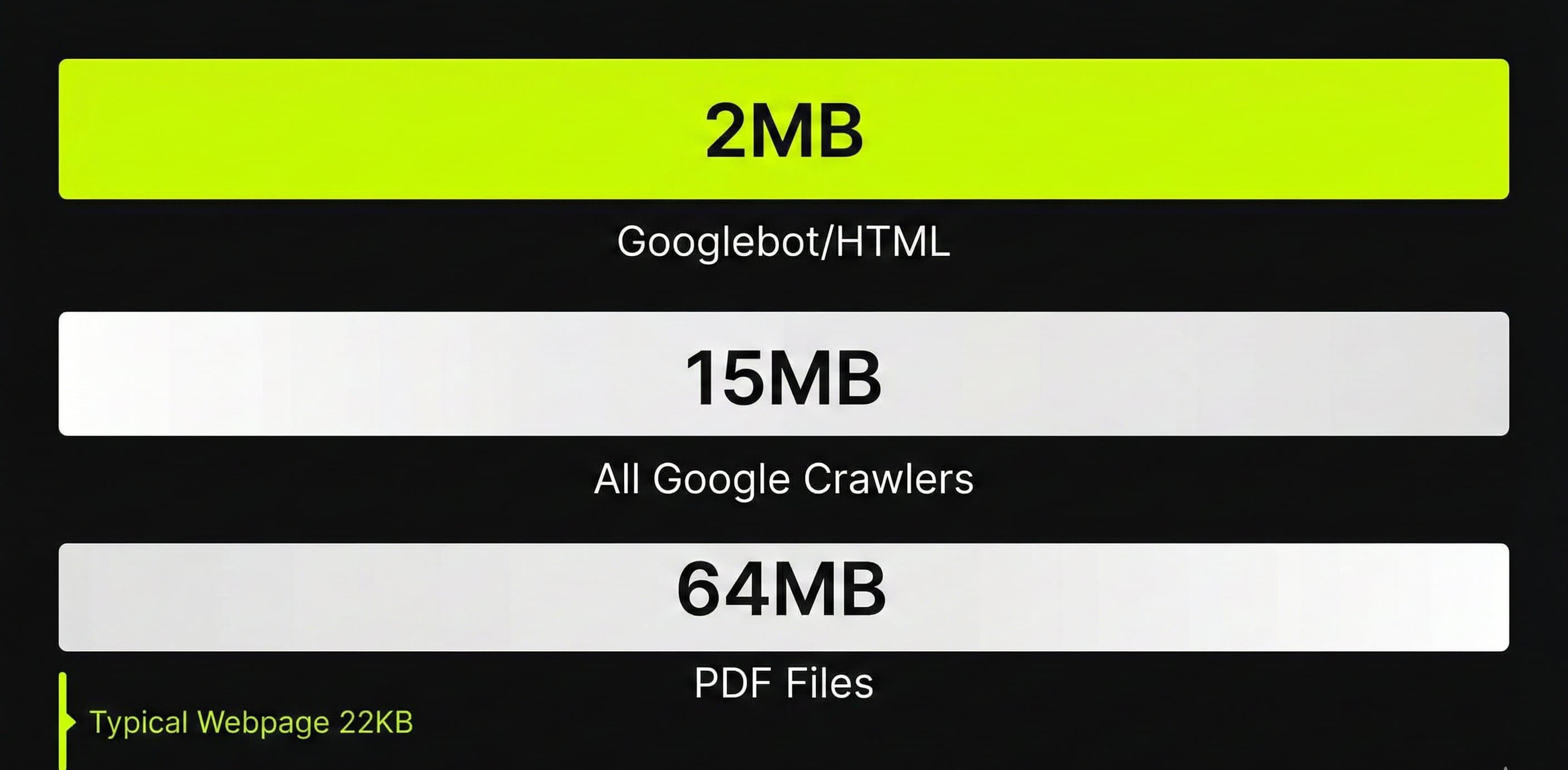
On February 4, 2026, Google moved information about crawl limits from the Googlebot documentation to the broader crawler documentation. At the same time, more specific limits for Googlebot itself were added. As a result, the documentation now lists three limits, each for a different part.
The three Google crawl limits:
- 2MB for HTML and supported file types (Googlebot specifically, for Google Search)
- 64MB for PDF files (Googlebot specifically)
- 15MB by default for all Google crawlers and fetchers (including AdsBot, Feedfetcher, etc.)
Google itself stresses that the behavior hasn't changed. A Google spokesperson wrote on Bluesky: “None of these recently changed, we just wanted to document them in more detail.” The 2MB limit probably existed for years; it just was never described separately before.
Do note the difference: Googlebot (the crawler for Google Search) has a lower limit than Google's other crawlers. The 15MB that had been documented since a Google blog post from 2022 applied to all crawlers together. Now it's clear that Googlebot itself is stricter.
What happens if your page is larger than 2MB?
Google's documentation says it literally: “Once the cutoff limit is reached, Googlebot stops the fetch and only sends the already downloaded part of the file for indexing consideration.”
It comes down to this:
- Googlebot stops downloading as soon as 2MB is reached
- Only the part that has already come in goes on to indexing
- Everything after the 2MB mark is ignored: not crawled, not indexed
- The limit applies to the uncompressed data, not to the transfer size (what actually goes over the wire)
That last point needs a short explanation. Your server probably packs the HTML with gzip compression, so less data goes over the wire. Googlebot only counts the unpacked size. A page that arrives as 800KB can therefore be above 2MB once unpacked.
What you lose above 2MB
How much damage it does depends on where your content sits in the HTML. If structured data, internal links or important text come at the bottom, and the HTML before that is already large, that part simply drops out. Think of:
- Structured data (JSON-LD) at the bottom of the page
- Internal links in the footer that are no longer crawled
- Product information that only appears later in the HTML
- Rich results that disappear because the schema markup never gets read
Should you worry?
Short answer: probably not. The median HTML page is only 22KB (source: Web Almanac 2025). The 90th percentile sits at about 155KB. To reach the 2MB limit, a page would have to be roughly 90 times larger than a typical page.
According to Google itself it almost never happens either: “It's extremely rare that sites run into issues in this regard. 2MB of HTML is quite a bit. 90% of pages have less than 151kb HTML.”
2MB of HTML is about 2 million characters. That's a 400-page book on a single web page. The average business site, blog or services page doesn't come close.
Rule of thumb for HTML size:
- Under 500KB: no problem at all, and almost every website falls in this range
- 500KB to 1MB: safe, but keep an eye on the size
- 1MB to 2MB: slim down the HTML before the page grows further
- Above 2MB: Google cuts off your content, so fix this right away
Which sites are at risk?
For most sites the limit doesn't come into play. In three situations, though, the 2MB limit can become a real problem.
Online stores with product data in the HTML
Some online stores put thousands of product variants into the HTML as JSON data, so the browser builds the page itself (client-side rendering). A category page with 500 products and all their attributes in a JSON block like that easily goes above 2MB.
Single page applications with large JavaScript bundles
Some single page applications (SPAs) put their entire application code into the HTML as inline JavaScript. A modern JavaScript bundle easily runs to hundreds of kilobytes even when compressed, and unpacked that can grow to several megabytes. If you load your CSS and JavaScript as separate files, the same 2MB limit applies to each of those files.
Pages with complete datasets
Comparison pages, price lists and interactive tools sometimes load their complete dataset in the initial HTML as well. If you build a financial comparison site with thousands of rates in the page itself, for example, that adds up fast.
If your site doesn't fall into any of these three groups, you don't need to worry about the 2MB limit.
How do you check the HTML size of your pages?
The uncompressed HTML size tells you whether your site stays within the limit. You can measure that in four ways.
Chrome DevTools
Open your page in Chrome, press F12, go to the Network tab and reload the page. Find the HTML document (usually the first item) and look at the “Size” column. Make sure you look at the uncompressed size, not the transfer size. Click the document and check the Response headers for the full size.
Screaming Frog
Crawl your site with Screaming Frog SEO Spider. The “Size” column shows the uncompressed size per URL. Filter on pages larger than 1MB, and you immediately see which pages come close to the limit.
Tame the Bots Fetch & Render
Tame the Bots has a Fetch & Render tool that simulates the cutoff at 2MB. You see exactly what Googlebot would and wouldn't see of your page. On February 6, 2026, someone from Google recommended the tool on Bluesky.
Via the page source
The quickest check: right-click your page, choose “View page source,” select everything (Ctrl+A), copy it into a text editor and save it as a file. The file size is your uncompressed HTML size.
How to keep your HTML under 2MB
Even far below the limit, light, tidy HTML is worth the effort. Googlebot crawls your site more efficiently with it, and it is part of good technical SEO.
- Use external stylesheets and scripts. Inline CSS and JavaScript count toward the HTML size. External files are crawled separately, each with its own 2MB limit.
- Avoid inline JSON datasets. Load product data, price lists or other large datasets through an API, instead of sending them along in the initial HTML.
- Put structured data at the top. If you use JSON-LD schema markup, put it in the head or early in the body. If the page gets cut off, Googlebot already has the structured data.
- Put important content early in the HTML. Google gives this advice itself: “Make sure to have important stuff in a reasonable place, and not only on the bottom.”
- Paginate long lists. If you have a category page with 500 products, split it into pages of 50, for example. Visitors find what they're looking for faster, and Googlebot gets smaller pages to read.
- Remove unnecessary HTML. Think of inline styles your CMS creates itself, duplicate wrapper divs and code that no longer serves a purpose. Those characters count toward the 2MB too.
How the limit relates to crawl budget
The file limit and crawl budget are related, but they are two different things. Crawl budget determines how many URLs Googlebot can and wants to crawl on your site. The file limit determines how much of an individual page Google reads.
The relationship is indirect: larger files cost more bandwidth and time per crawl. If every page on your site is 1.5MB of HTML, Googlebot can crawl fewer pages in the same amount of time than if they were 50KB each. Google itself says: “If Google can load and render your pages faster, they might be able to read more content from your site.”
According to Google's own guide on crawl budget, it matters mostly for sites of around 10,000 pages or more whose content changes daily. Smaller sites rarely need to think about it. For large online stores with hundreds of thousands of URLs, that efficiency does count.
What to remember about the 2MB limit
The 2MB limit is not a new restriction. Google described existing behavior more clearly in the documentation. The 15MB still applies to Google's crawlers in general. The 2MB is specific to Googlebot when crawling for Google Search.
For almost every website, nothing changes. A typical page is 22KB, and even an extensive product page or a long blog post stays far below 2MB. The limit only starts to matter when you work with large inline datasets, heavy SPAs or pages that send an entire product catalog along in the HTML.
If you want to get started on it anyway, keep your HTML light, put important content and structured data early in your source code and load stylesheets and scripts as separate files. Those steps are part of good technical SEO anyway.
A technical check of your site
In a technical check I look at how Google crawls your site and how fast your pages load. Call me at +31 6 282 064 10, or schedule a call.
SCHEDULE A CALL